
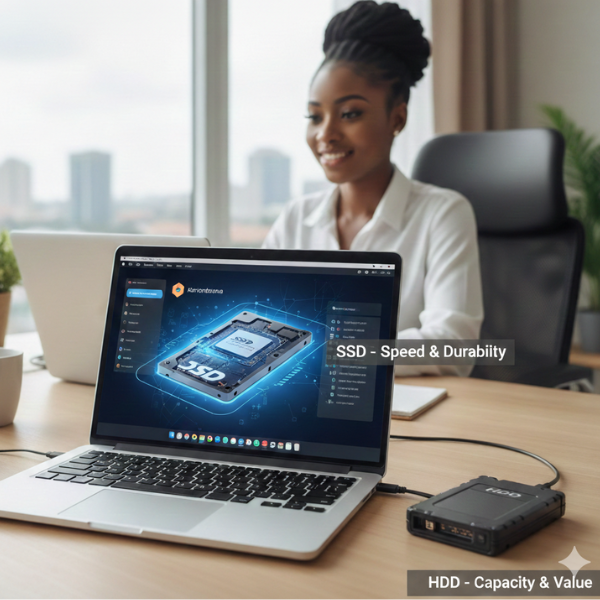
SSD vs HDD in Abuja – How to Choose the Best Storage Upgrade for Your Laptop or Desktop
If you’re using a computer in Abuja, whether for work, school, gaming, or content creation, storage is one of the most critical components. Choosing the right storage device affects speed, reliability, and how much data you can store. Many users face the dilemma: should I get a traditional hard disk drive (HDD) or a solid-state drive (SSD)?
In this guide, we’ll explain the difference between SSDs and HDDs, discuss their pros and cons, and help Abuja buyers make an informed choice when upgrading or buying a new computer.
Why Storage Matters for Computer Users in Abuja
Storage is more than just saving files. It determines how fast your computer boots, loads programs, transfers data, and handles heavy applications. A slow or failing storage device can make even high-end computers feel sluggish.
In Abuja, many users experience power fluctuations or purchase devices from multiple import sources. This makes investing in reliable storage even more important, both for performance and data safety.
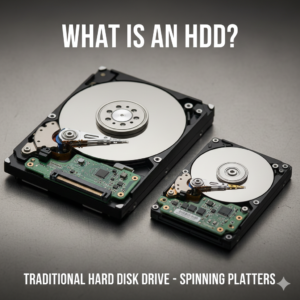
What Is an HDD?
An HDD, or Hard Disk Drive, is a traditional storage device that uses spinning disks to read and write data. They have been around for decades and remain widely used because they are cost-effective and offer large storage capacities.
**Advantages of HDDs:**
- Lower cost per gigabyte
- High storage capacity (up to several terabytes)
- Widely available in Abuja computer stores
**Disadvantages of HDDs:**
- Slower read and write speeds
- More prone to physical damage
- Bulkier and heavier for laptops
- Consumes more power
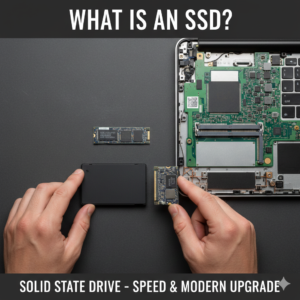
What Is an SSD?
An SSD, or Solid-State Drive, stores data on flash memory instead of spinning disks. SSDs are increasingly popular in Abuja and across Nigeria due to their speed and reliability.
**Advantages of SSDs:**
- Faster boot and load times
- Durable with no moving parts
- Smaller and lighter than HDDs
- Lower power consumption
- Improved gaming and application performance
**Disadvantages of SSDs:**
- Higher cost per gigabyte
- Limited storage in budget models (usually 256GB–1TB)
Which Storage Option Is Best for Abuja Buyers?
The choice depends on your usage:
- Students: 500GB–1TB HDD or 256GB–512GB SSD is enough for assignments, research files, and casual use.
- Gamers: SSDs improve game load times and system responsiveness. Many Abuja gamers use a combo: SSD for games + HDD for additional storage.
- Content Creators: SSDs are ideal for video editing, rendering, and storing large files. Backup HDDs can supplement storage.
- Office Professionals: SSDs improve workflow speed, but large HDDs can store archives and backups cheaply.
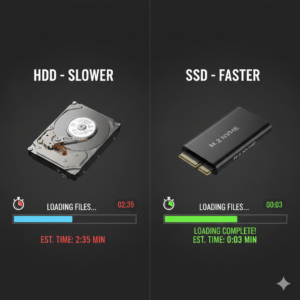
SSDs vs HDDs: Speed and Performance Comparison
Speed is the most obvious difference. Consider these real-world examples:
- A laptop with an SSD boots in 10–20 seconds; with an HDD, it can take 1–2 minutes.
- Programs like Photoshop, Premiere Pro, and games load significantly faster on SSDs.
- File transfer speeds are 3–6x faster on SSDs compared to HDDs.
For Abuja users who multitask or use heavy applications, SSDs drastically improve the experience.
Durability and Power Considerations
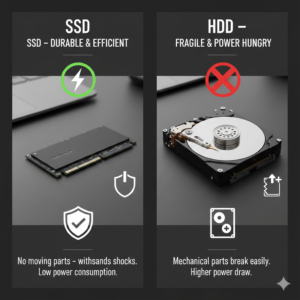
Abuja experiences occasional power fluctuations and surges. SSDs are more resistant to shock and power interruptions because they have no moving parts. HDDs, on the other hand, can fail if dropped or exposed to sudden electricity issues. For laptops carried around Abuja or for small businesses, SSDs are safer and more reliable.
Cost Comparison in Abuja
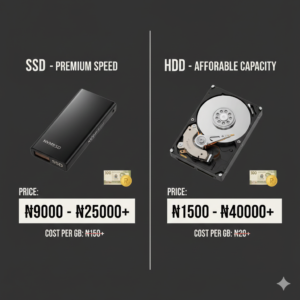
Prices for storage devices vary based on capacity, brand, and type:
- 500GB HDD: ₦25,000 – ₦35,000
- 1TB HDD: ₦40,000 – ₦60,000
- 256GB SSD: ₦25,000 – ₦40,000
- 512GB SSD: ₦45,000 – ₦70,000
- 1TB SSD: ₦90,000 – ₦120,000
Buying from reputable Abuja stores ensures you get genuine products with warranty. Avoid very cheap drives from street vendors, as counterfeit or low-quality drives fail quickly.
Hybrid Approach: Best of Both Worlds
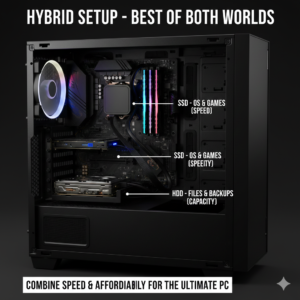
Many Abuja users adopt a hybrid storage setup:
- SSD as the main drive for operating system, apps, and frequently used files
- HDD for backup, movies, games, and large archives
This strategy balances speed, reliability, and storage capacity while keeping costs manageable.
Tips for Buying Storage Devices in Abuja
- Check for genuine branded products from Samsung, Western Digital, Kingston, Seagate, or Crucial.
- Ask about warranty and return policies.
- Check for SATA vs NVMe SSD compatibility with your laptop or desktop.
- Consider buying from electronics hubs in Wuse, Garki, or Jabi for availability and variety.
- Verify storage capacity using system properties or disk management immediately after purchase.
Storage Maintenance Tips
Even high-quality SSDs and HDDs need care:
- Backup important data regularly to cloud storage or external drives
- Use antivirus software to avoid data corruption
- For HDDs, avoid dropping or moving your computer while it’s running
- Monitor storage health using software tools
Upgrading Your Laptop or Desktop in Abuja
Upgrading to an SSD or adding additional storage is straightforward:
- Many laptops support one SSD slot plus an HDD slot.
- Desktops usually have multiple bays for HDDs and M.2 slots for SSDs.
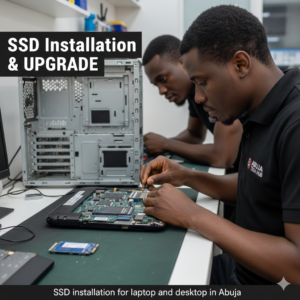
- Professional Abuja computer shops can assist with installation and data migration.
With proper guidance, you can enhance your computer’s performance without replacing the entire system.
Who Should Upgrade to an SSD in Abuja
- Gamers seeking faster game load times
- Students who need speed and reliability for assignments
- Professionals and content creators editing large files
- Office workers who want faster multitasking
- Anyone tired of slow boot times and lagging systems
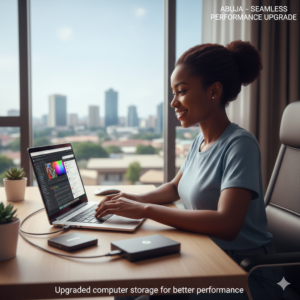
An SSD upgrade is often the easiest and most noticeable performance improvement you can make.
Conclusion & Call-to-Action
Whether you choose an HDD, SSD, or a combination of both, understanding your storage needs is crucial. Abuja buyers should focus on quality, reliability, and warranty when purchasing storage devices. Investing in the right storage improves speed, productivity, and longevity of your computer.
If you’re looking to upgrade your laptop or desktop in Abuja, visit trusted electronics stores in Wuse, Garki, or Jabi, ask about original SSDs and HDDs, and get professional guidance to ensure your computer performs at its best.
Leave a Comment
Your email address will not be published. Required fields are marked *